Bleed and safe zone for print files: set them up right
November 2, 2026
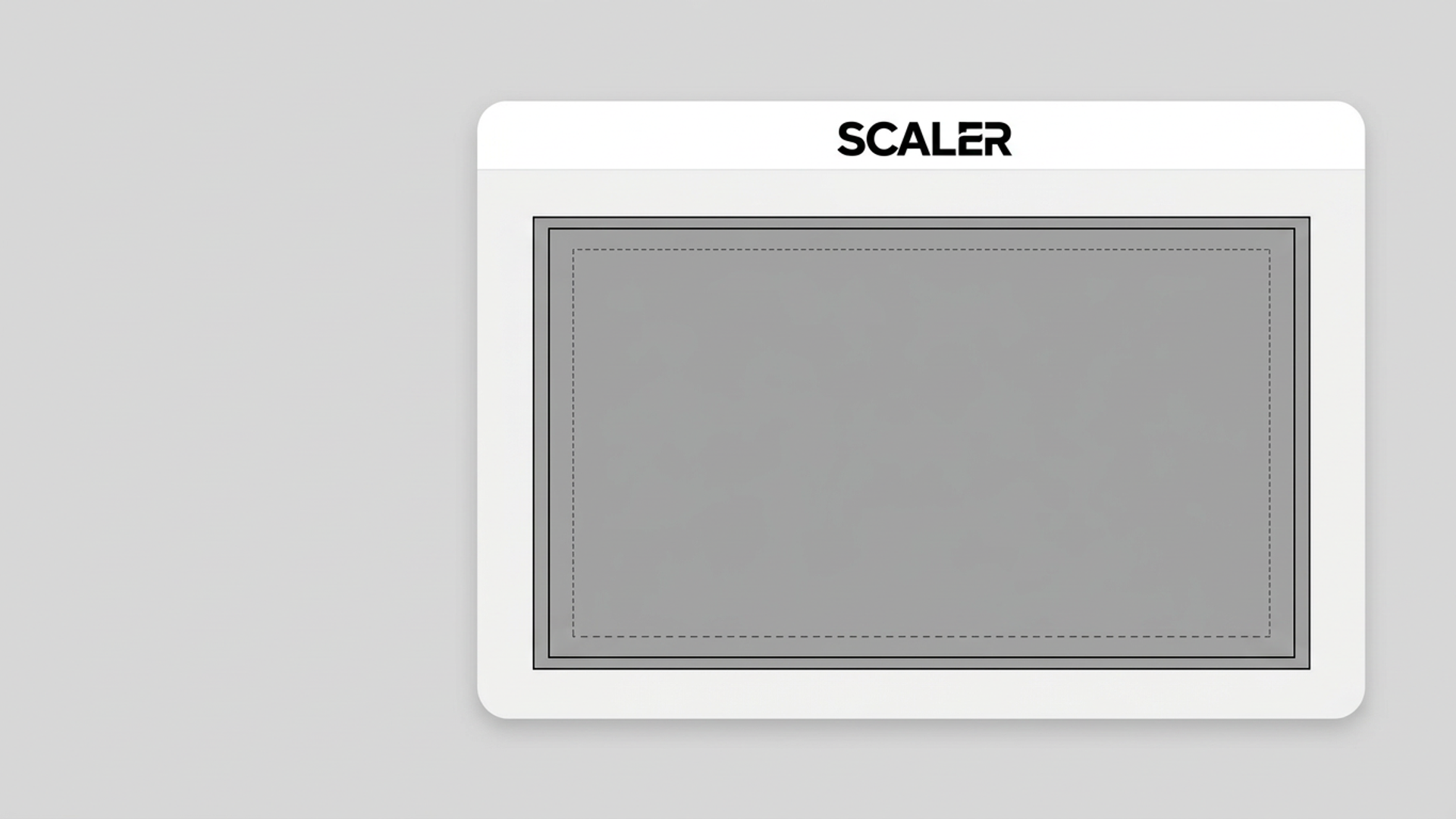
Bleed is artwork that runs past the trim line so no white edge shows after cutting. The safe zone is the inner margin where text and key elements stay so nothing gets clipped. At 300 DPI, a 0.125 inch bleed adds 37.5 pixels per edge, and a 0.25 inch safe zone sits 75 pixels inside the trim.
This guide is for Etsy printable sellers, KDP authors and POD merchants who have had a file rejected or a print come back with a clipped edge. You will get the math, a table, a checklist and the usual mistakes.
Bleed vs. trim vs. safe zone in one picture
Think of three nested rectangles.
- Bleed edge: the outer rectangle. Your artwork fills it completely. The printer cuts this part off.
- Trim line: the finished size. A 6 x 9 inch book is cut here.
- Safe zone: the inner rectangle. Text, logos and faces stay inside it.
Cutting is never perfect. Machines drift by a fraction of an inch. Without bleed, a small drift leaves a thin white sliver on one edge. Without a safe zone, the same drift trims your author name or the top of a headline.
The figures in this post (0.125 inch bleed, 0.25 inch safe zone) are the ones KDP uses for paperback covers, as covered in our KDP book cover dimensions guide. Other printers use their own numbers. Printful, Printify and Redbubble publish a template per product, and the template wins over anything you read here. Check the platform's current spec before you export.
The pixel math at 300 DPI
Convert inches to pixels by multiplying by your DPI. We cover the full formula in how many pixels you need for any print size. For bleed work, you only need three steps:
- Trim size in pixels: inches x 300.
- File size with bleed: add 0.25 inches (75 px) to width and height. That is 0.125 inches, or 37.5 px, on each side.
- Safe area: subtract 0.5 inches (150 px) from the trim width and height. That is 0.25 inches, or 75 px, on each side.
Here is how it works out for common sizes.
| Trim size | Trim at 300 DPI | File with bleed | Safe area |
|---|---|---|---|
| 5 x 8 in | 1500 x 2400 px | 1575 x 2475 px | 1350 x 2250 px |
| 6 x 9 in | 1800 x 2700 px | 1875 x 2775 px | 1650 x 2550 px |
| 8 x 10 in | 2400 x 3000 px | 2475 x 3075 px | 2250 x 2850 px |
| 8.5 x 11 in | 2550 x 3300 px | 2625 x 3375 px | 2400 x 3150 px |
The 6 x 9 row matches the height in the KDP table: 9.25 inches times 300 is 2775 pixels. A full-wrap cover adds the spine and back cover to the width, so use the KDP guide for that.
Half a pixel is not a thing. Round the file size with bleed to a whole number, and keep the same rounding on every file in a set.
Where bleed applies and where it does not
Not every file needs bleed. Mixing this up wastes time or gets files bounced.
Needs bleed: paperback and hardcover covers, any POD product where the design runs edge to edge, and printables where you want a full-color background that goes to the edge.
Usually does not need bleed: Kindle eBook covers (they display on screen), Etsy listing photos, and printables meant for home printers. A home printer leaves its own margin. If your buyers print at home, give them a design with a built-in border and say so in the listing.
Varies by product: apparel and all-over-print items. Some POD products print a defined area and ignore the rest. Others want the design to extend past the visible area. Read the product template, then match it. Our Printful t-shirt size guide has the apparel pixel specs.
Common mistakes that cost you a rejection
Scaling the finished file to add bleed. If you stretch a trim-size file by 0.25 inches, you shift every element and distort the ratio. Extend the background instead. Fill the added strip with the same color, or continue the pattern outward.
Putting a border inside the bleed. A thin keyline frame at the trim edge looks fine on screen. After cutting, it will sit crooked, thicker on one side and gone on the other. Skip full-bleed borders, or place them well inside the safe zone.
Setting DPI without checking pixels. A file labeled 300 DPI with too few pixels is still too small. The pixel count is what the printer reads. Always check both numbers.
Ignoring the aspect ratio. Bleed changes the ratio slightly. A 6 x 9 trim is 2:3. With bleed it is 1875 x 2775, which is close to 2:3 but not exact. If you reuse the same art for an Etsy 2:3 printable, export that one without bleed. The five Etsy print ratios explain which ratios to cover.
Trusting the upload preview alone. Platform previews often show the trim line as a guide. Zoom in on the edges of your own file at 100 percent before you upload.
Bleed and safe zone checklist
Run this before every export.
- I have the platform's current template or spec open.
- My file size equals trim size plus bleed on every side, in pixels.
- DPI is 300 or higher at the trim size.
- Background color or pattern runs all the way to the bleed edge.
- Text, logos and faces sit inside the safe zone.
- No thin borders sit near the trim line.
- Spine text on books stays away from the spine center and edges.
- The file is PNG or JPEG as the platform requires.
- I zoomed to 100 percent and checked all four edges.
Doing it in Scaler
If you have one source image and need correct pixel dimensions for several targets, Scaler does the resize in your browser. You pick a preset, or enter custom dimensions and a DPI, and download PNGs with the DPI metadata embedded. Your files are not uploaded to a server. There is no account to create.
For bleed work, enter the file-with-bleed size from the table above as a custom size, then check the edges. The home page lists the KDP cover preset as 6 x 9 in with 0.125 inch bleed, so for KDP you can start there and compare it to your own numbers.
The free tier gives you 3 exports per browser session. Free exports carry a watermark, so use them to check dimensions and DPI before you pay. A single session unlock is 3 USD (Pay Per Export), or Scaler Pro is 9.99 USD a month or 79 USD a year. The KDP Cover + Spine Calculator is 3 USD.
Next step
Pick one product you sell this week. Open its platform template, write down the trim size, and fill in the three-column math from the table. Then run the checklist on your current file. If the pixel count is off, open Scaler and export a corrected version before you upload.
Keep reading
- Batch resize artwork for Etsy, KDP and Printful
Batch resize artwork for Etsy, KDP and Printful from one master file. Why chained resizes go soft, how to crop each ratio, and how to export every size at once.
November 9, 2026
- Etsy print ratios: the 5 aspect ratios every seller needs
Most Etsy printable wall art fits five aspect ratios: 2:3, 3:4, 4:5, 11:14 and ISO (A-series). Here are the pixel sizes at 300 DPI and how to cover every frame size from five master files.
October 26, 2026
 How many pixels you need for any print size (DPI math)
Print width in inches times DPI gives the pixels you need. Here is the formula, a lookup table for common poster and canvas sizes, and how to check whether your source file is big enough.
October 19, 2026